Apps / Windows process manager
Background hogs, kept in line.
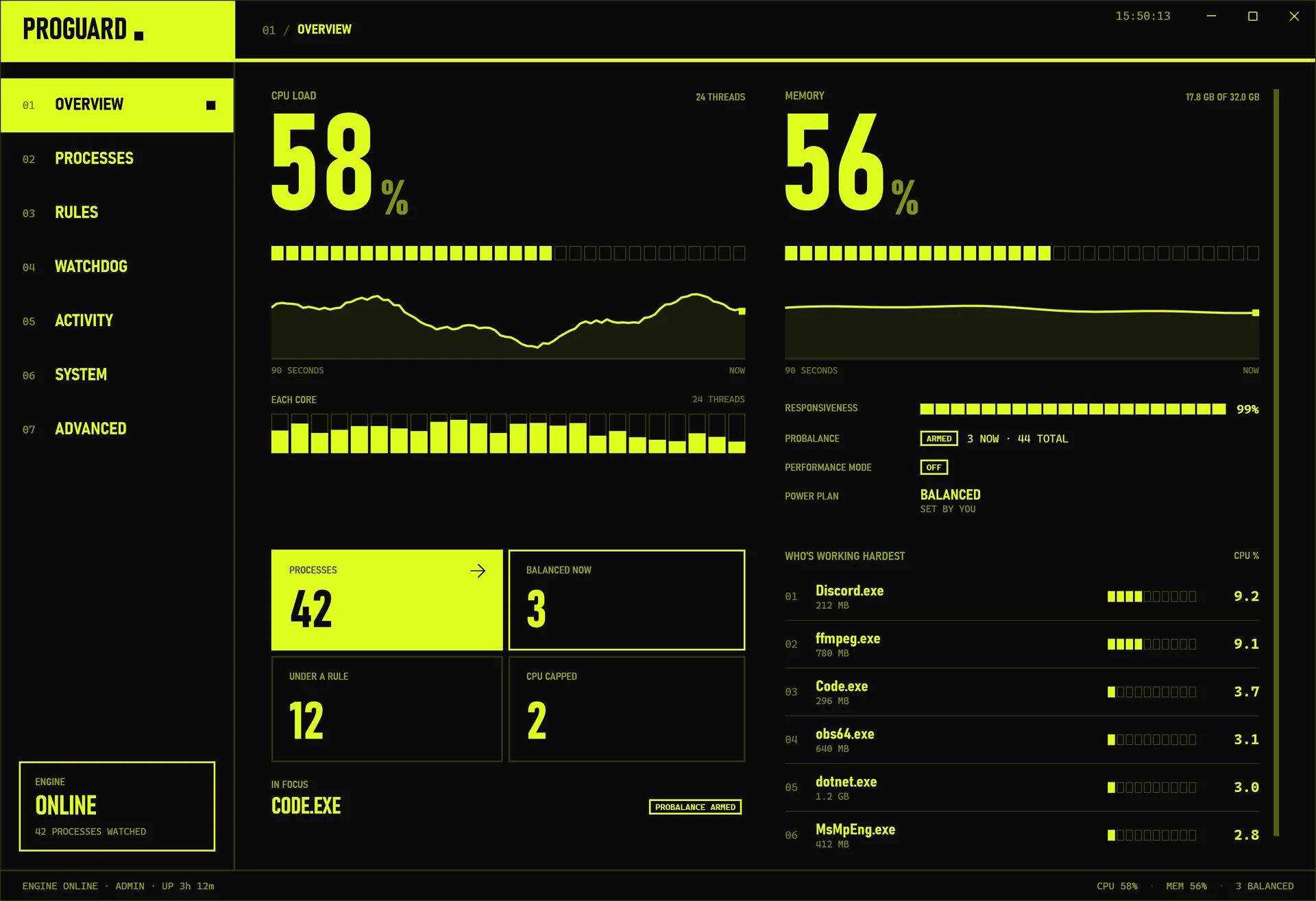
ProGuard keeps Windows responsive when something starts eating the CPU. It watches every process, eases back whatever is hogging the machine, and remembers how you want each program to run: its priority, its cores, a CPU cap and more.
What it does
ProGuard
- 01
ProBalance
When a background process hogs the CPU, ProGuard lowers its priority until it calms down, then puts it back. The app you’re using stays smooth, and nothing is ever ended.
- 02
Rules that stick
Give a program its own CPU, I/O and memory priority, a set of cores, a CPU cap, efficiency mode or an instance limit. ProGuard applies the rule every time the program starts.
- 03
Watchdog
If a program uses too much CPU or memory for too long, ProGuard can lower its priority, cap it, trim its memory, restart it or just tell you.
- 04
Power that follows you
Performance Mode switches to a high-performance power plan while you need it. IdleSaver switches to a power-saving plan while you’re away, and back the moment you return.
- 05
Memory kept in check
SmartTrim frees memory from idle processes when RAM runs low, and the whole system’s memory can be trimmed in one click.
- 06
Advanced tools
Tune core parking and CPU frequency for each power plan, read the engine’s log, and save your whole setup as profiles to switch between or share.
Under the hood
- Engine
- A .NET 8 Windows service that keeps working with the window closed, including on processes started before you sign in
- App
- WPF, talking to the engine over a named pipe. Each request is checked, so a standard user can only change what Windows would let them change anyway
- Install
- An MSI for 64-bit Windows 10 and 11, or a portable zip; no .NET install needed
- Storage
- Settings, rules and profiles in a local SQLite database; nothing leaves the PC
- Tests
- Over 1,300 automated tests run on every change
- Source
- github.com/ayrball/ProGuard, PolyForm Noncommercial 1.0.0
Try it
ProGuard is open source and free for personal use. The code, the docs and the issue tracker are at github.com/ayrball/ProGuard.
More apps
Fast, offline-first to-do list
Shared kanban, two tones
Hi-Lo card counting trainer
CS2-accurate aim practice
Beta · 2026 federal and state tax prototype
Beta · Old phone, always-on security camera
Beta · Pickup games near you
Pauses background apps while you play CS2
Beta · Budgets, subscriptions and cash-flow forecasts
Beta · Finds bills in your email, sends invoices
Beta · Edits PDFs on your device, no upload